


 Screen capture for Windows
Grably
Our free, open-source Windows 11 app for screenshots, annotations and screen recordings.

Overview
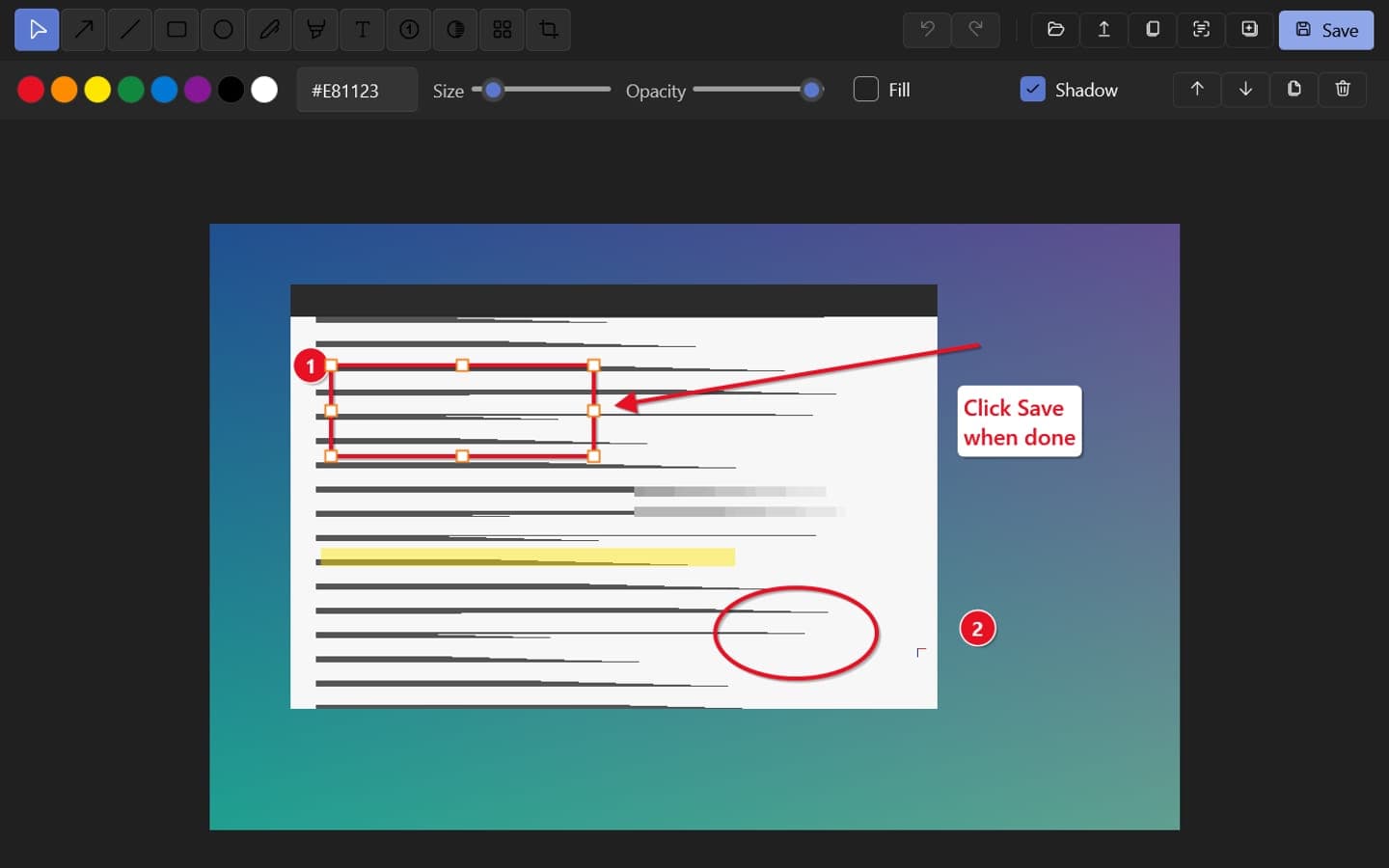
Grably is SBL's own desktop app: free, open-source screenshots, annotations and screen recordings for Windows 11. It waits in the notification area, so a capture or a recording is always one shortcut away.
The challenge
Capturing the screen, marking it up and recording a quick walkthrough usually takes several separate tools, and the files end up scattered across folders where nobody can find them again.
What we built
We built one app that does all of it: capture a region, a window, the whole screen or a scrolling page, annotate it with arrows, text, numbered steps, highlights and blur that stay editable, and record the screen with sound, microphone and webcam. Recordings can be trimmed and exported as MP4 or GIF, and a searchable library keeps every capture in one place.
Key features
- Region, window, full-screen and scrolling capture
- Copy text from anywhere on the screen
- Editable arrows, shapes, text, numbered steps, highlights and blur
- Screen recording with PC sound, microphone and a webcam bubble
- Pointer, clicks and keyboard shortcuts shown in recordings
- Trim recordings and export as MP4 or GIF
- Searchable library of every capture
- Automatic updates
- Open source (MIT licence)



Want something like this?
Tell us about your project and we'll send a proposal.